
Ever sit in a movie theatre and then the family from hell comes and sits behind you? What about that girl who just has to talk all the way through the movie you just forked out a fortune to watch?
Imagine pressing a button and they all disappear. You’re there, with the people you want only, with your own, MASSIVE electric home cinema screen!
Don’t correctly, your own home cinema will offer a much improved experience to your local cinema. Better surround sound, higher resolution, and eat and drink what you want when the films on.
Today we’re checking out some of the latest and best motorized roll up movie screens. Grab some popcorn.
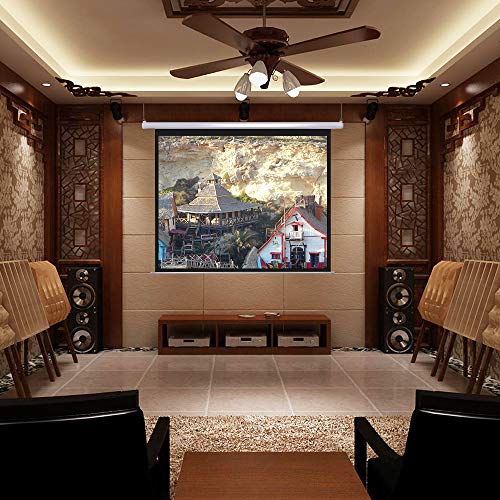
In This Guide
What we look for when picking out the best electric movie screen
- Screen quality – Bit of an obvious one, but it doesn’t matter how well it ‘ups’ and ‘downs’ if the screen is curly, and the picture is inconsistent and poor quality. We want to see a good quality, thick screen that’s going to block out light and last a long time!
- Installation shouldn’t take years off your life – More time enjoying, less time installing. Thankfully, most of the electric screens we see these days are blessedly easy to install. But we always point out anything that’s a bugger to fit, if you’ll pardon the turn of phrase.
- Value for money – There’s that weird thing. The most expensive screens aren’t always the best. Cheap and nasty products aside, there’s some good bargains to be had without trading off too much quality in the process. We love a bargain. So value for money is always on our list.
- How noisy is the motor? The amount of times we’ve read a motorised cinema screen is ‘silent’. Unless you’re hard of hearing, you’ll be hard-pushed to find a mythical silent screen motor. That being said, noise is important. We always check to make sure it doesn’t sound like a rusty transformer doing squats.
#1 ReaseJoy 120″ Electric Projector Screen
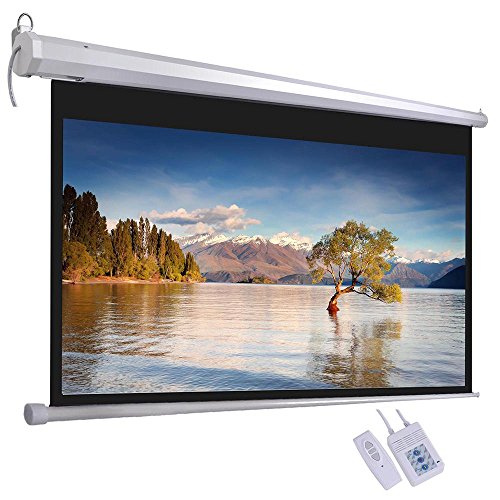

A HUGE cinema screen
ReaseJoy’s electric home cinema screen comes in several different sizes. There’s the sensible 72″ version, all the way up to the ‘my wife’s going to kill me – I turned our living room into a cinema’ beast-of-a 120″ size screen.
It’s easy to install and use
You can wall mount, or suspend this screen from your or ceiling. Installation is a straight forward procedure. Once it’s up and running, you can show it off with the included remote. It looks like a Bluetooth remote as we couldn’t see any ‘infra red bits’ on it.
If you’re planning to install a screen over a window then the ReaseJoy Screen is ideal for that because it’s backed with a good quality complete black-out coating. It literally doesn’t let any light through. Wherever you’re going to hang it, this is a good thing as it prevents light bleeding into your screen.
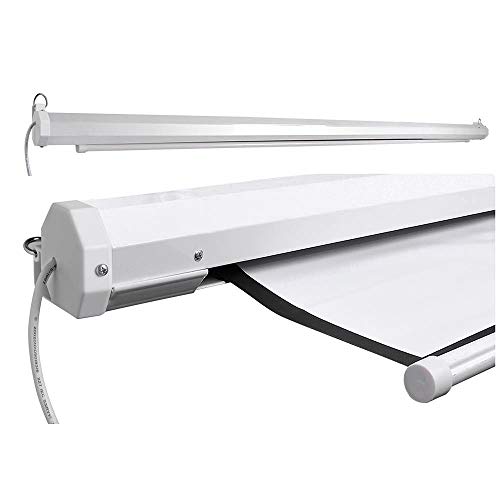
The motor makes very little noise
The motor is quiet enough, more so than other similar projectors and while not ‘silent’, it’s extremely gently on the ears.
Best picture quality
As for the picture quality, all we can say is “WOW!”. The slightly gray surface diffuses light over the image and results in a beautiful, crisp picture that looks like you’re watching a flat screen TV. A bloody big TV screen at that. It’s a cinema-goer’s dream come true but you could also use this electric roll-up screen for business uses, or showing off photographs.
Verdict: This is an extremely high quality screen that’s easy to fix and use. The electronic part works perfectly and the all-important image quality is there in spades. The blackout aspect and light-diffusing screen help make for a better picture. Highly recommended.
- Simple to install with a choice of fittings
- Quality motor that doesn’t make much noise
- Top level picture quality
- Good value for money
- Hangs flat without curling
- Blackout backing keeps the light off the picture
- ‘New screen’ smell (does fade after a couple of weeks)
#2 Duronic EPS Electric Projector Screen
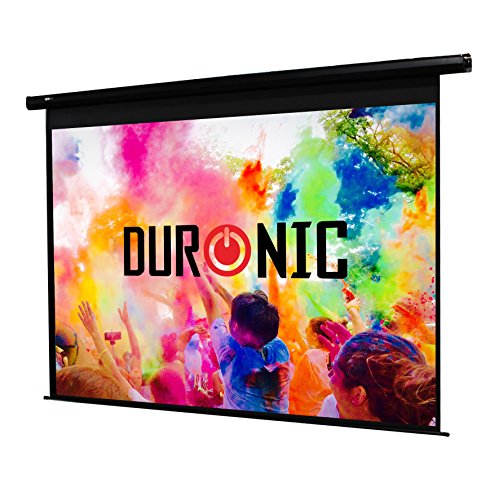
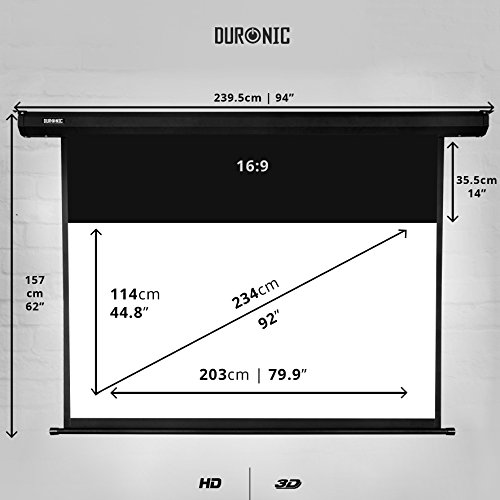
The Duronic EPS (available on Amazon UK) is a whopping, high quality screen that comes in at a budget friendly price. This home cinema screen comes in one of six sizes that should suit any needs – from a smaller living room to say a large community hall.
electric screen is actually head and shoulders above many of the more expensive screens.
Top quality for the price
This electric screen is actually head and shoulders above many of the more expensive screens. It’s made from a high quality matt white fabric with dark borders that help increase contrast. It’s ideal for setting up a home cinema and especially good for HD and 3D projectors.
You can of course install this in schools or the office too.
Easy to set up
There’s literally 2 screws to put in and then one bolt to fix the screen in place. That’s it. You might need to get someone to help you though, especially if you’ve got a REALLY big screen to setup. But installation is, thankfully, very simple with this electric cinema screen.
Smooth up / down operation
Flicking the switch and watching your new cinema screen roll down is especially satisfying. One thing – you’ll need to buy the remote control as extra (the screen comes with controls that you’ll need to get up and use on the screen). It’s around £35 and you’ll thank yourself you paid a bit extra for it when it comes time to show off your screen.
Screen hangs flat and offers good image quality
Obviously, as this is a roll-up screen, there’s no tension on the edges of the screen and you’re relying on it hanging flat. The Duronic screen does a great job of this and the screen is always perfectly flat once rolled down. You’ll likely want to air it a bit at first as, like a lot of electric roll down screens, it has that strong ‘new paint’ smell about it!
Verdict: A massive screen here at a great price. It’s simple to setup and works perfectly without any hassle. The screen is a good quality and whatever image you project on it is top notch.
- Big screen for the money
- Motor and screen are good quality
- Smooth up and down motion
- Hangs flat every time
- Easy installation with 2 screws
- The new paint smell is STRONG with this one
- The remote is extra
Electric home cinema screen – BUYER’S GUIDE
Heads up on these awesome space-saving screens
With the minimal of space, any home can have a HUGE screen that far exceeds what’s possible with a conventional TV flat screen. The best thing about installing an electric home theatre screen at home, or in the office or classroom, is that you can roll them up whenever not in use. This also keeps the screen immaculately clean and safely tucked away from all those little bumps and accidents that ‘where no-one’s fault.
What can you use these screens for?
- Watching home movies
- 3D and HD projections
- Gaming
- School / College / Uni lecture rooms
- Office meeting rooms
Home cinema screens are an amazing invention that anyone with a home projector should look into getting.
They typically hang down, although you can get some that come with a stand. The beauty with electric screens is that they don’t take up much space and can easily be put away when you’re not using them, all with a built in motor.
And it does look rather cool when you have guests and press the button to roll down you own private cinema. Combine it with a decent home cinema surround sound system and you’ll have a PROPER way to enjoy movies and TV in your home!
Is installation difficult?
Yes. There will be some DIY. For some, that’s not a problem. For the rest of us, the though of hammering or screwing anything in brings us out in a cold sweat. The memory of past failed attempts and dashed hopes and dreams floods back.
So let’s get to the meat here.
How much is installing a roll up movie screen going to hurt?
- Measure and measure again – Installation starts before even ordering your brand new cinema screen. You’ll need the actual length of the housing, not the oft quoted cinema screen. Check you’ve enough space to fit this thing onto your roof.
- Find the joist – You’re not going to be able to just screw your new electric cinema screen into the plaster board, unless you want to literally bring the house down. Find a joist (roof or wall beam) and make sure you get the screws into that.
But it could be a 2 person job
While electric cinema screen’s aren’t especially heavy, they can be especially awkward. Hanging a 2.4m long screen yourself can be a bit of a nightmare. But, you might be able to manage it.
Get the kettle on and call in a favour from a handy helper.
Do I need an actual mansion to have a home cinema screen?
Maybe you’re setting up a home cinema in your spare room, studio or living room. So how much space do you need? While it varies from projector to projector, as long as you have 6 or more feed to play with, you can do this thing.
Some things you definitely want to know before you buy
You’ve heard of the SIX P’s right? Planning and preparation prevent… actually who cares and what has this got to do with home cinema screens? Well there’s a few things you might want to check before you splash out on your new MASSIVE movie screen.
- What’s the cable length? Real rock and roll stuff here, right? But Some electric home cinema screens don’t have, shall we say, the longest cable.
- Will it install on the ceiling, wall or BOTH? A lot of electric movie screens offer dual installation where you can choose one or the other.
What is that SMELL!?
A lot of people get a bit of shock when they put up their new electric home cinema screen. They often have a faint PVC type smell when first installed. Don’t worry though, this fades pretty quickly and won’t be a permanent part of film night.
TOP TIP – leave the screen extended and the windows open, when you can. That new paint smell should dissipate in anywhere from 2 – 4 weeks. Phew.
Look at getting the remote control, if it’s not included
Some electric home cinema screens come with attached ‘manual’ controls, where you have to walk over to the screen and press an up / down button. With these screens, the remote control is usually sold as an extra, probably to keep the price of the screen down. We’d definitely recommend splashing out a few extra pounds (usually around the £30 mark) for the remote as it makes for a much more fun (and relaxing) experience.
Just hit the button and amaze your guests!
Slight curling on your screen is normal, and will go away
Another thing that might happen when you first unfurl that magical new electric screen is it could have some left over curl from being in that shape in the warehouse for a long time.
Again, this will go with use.