
A wobbly, drooping or too-short mic stand can ruin a karaoke night or a recording session. The microphone ends up at the wrong height, the boom slowly sinks, and you spend more time fiddling than singing. A good tripod microphone stand fixes all of that. It’s stable on any floor, it puts the mic exactly where your mouth is, and it folds flat when the party’s over.
In this guide we look at the best tripod microphone stands in the UK for karaoke, small PA systems and home recording. We’ve also packed in the practical advice that stand reviews usually skip: how to stop a boom collapsing, which thread size you need, and how to set up a stand so it sounds better as well as looks tidier.
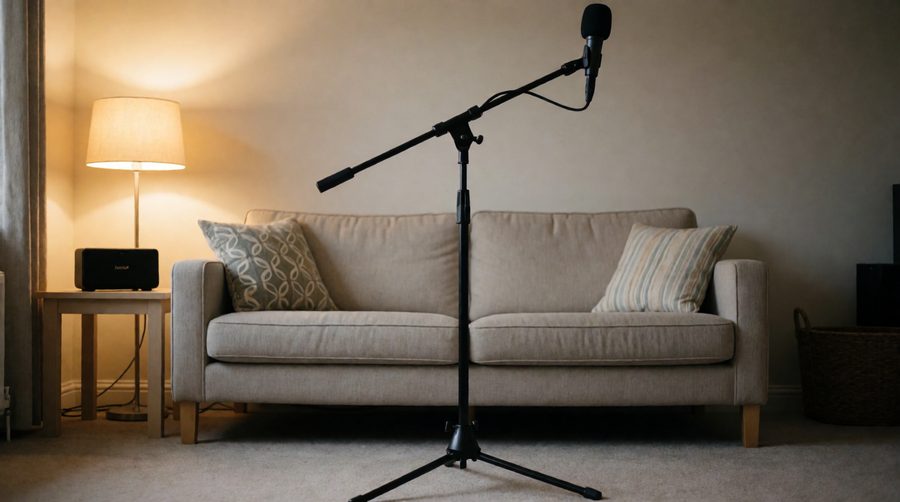
A tripod stand with a boom arm gives you a mic at mouth height with nothing blocking your view of the screen.
In This Guide
Quick version: which tripod mic stand should you buy?
- Best overall: the K&M 210/9 (Amazon UK). German-built, adjustable and very stable. The stand to buy once and keep for years.
- Best for most people on a budget: the On-Stage MS7701B Euro Boom (Amazon UK). Around £30 at the time of writing, with a folding tripod base and a removable boom.
- Best for keeping a spare or a second stand in the house: the Gator Frameworks GFW-MIC-2010 (Amazon UK), a standard tripod with a boom and both 3/8″ and 5/8″ adapters.
- Best lightweight, tall option: the Amazon Basics Tripod Boom Stand (Amazon UK), made from light steel and easy to carry.
Prices and stock change often on Amazon, so check the current price before you decide. Specifications below come from the manufacturers’ and retailers’ listings.
What we look for in a tripod mic stand
- Stability – A tripod base must stay put when the boom is extended and a mic hangs off the end. Heavier stands and wide, non-slip feet win here.
- Height range – You want the mic at mouth height whether you’re standing at karaoke or sitting to record. We check the minimum and maximum height.
- Boom length and clutch quality – A boom lets you put the mic in front of you without the stand being in the way. A good clutch grips firmly and doesn’t slowly droop.
- Build quality – Metal clutches and solid tubing last. Cheap plastic can strip or crack.
- Portability – Folding legs, a light weight and (ideally) a carry bag matter if you take your stand to parties or gigs.
- Thread and mic clip – The right thread size, and whether a mic clip is included, saves an annoying second order.
- Value for money – A stand you buy once beats three cheap ones you replace.
#1 Choice: K&M 210/9 Tripod Microphone Stand
Height: 90 – 160cm
Boom: extends from 46 to 77cm
Weight: about 3.2kg
Made in: Germany
About this mic stand
The K&M 210/9 is a professional-grade tripod stand. It’s based on K&M’s classic 210/2 tripod but adds a telescopic swivel boom, so you can put the mic exactly where you want it, high, low or out in front of you. The listing we checked comes bundled with a Keepdrum carry bag, which is handy if you take the stand to gigs or parties.
Why it’s our top pick
Weight is the secret. At around 3.2kg, this stand is noticeably heavier than budget tripods, and that weight keeps it stable when you stretch the boom out over the front of the stand. The metal construction and precise clutch also mean it holds its position and doesn’t sag halfway through a song.
The two-piece telescopic boom lets you dial in the reach, and the boom pivots so you can angle a mic down towards a seated singer or a guitar amp. It also folds down small for storage.
Things to know
This is a professional-grade stand and it’s priced that way, so it costs noticeably more than the budget models below. K&M stands also don’t always include a mic clip, so check the listing and add one if you need it. If you want a stand to last for decades, it’s worth the money.
Verdict: If you’ll use your stand often, or you want the most stable and adjustable tripod stand for karaoke, PA use and home recording, the K&M 210/9 is the one to buy. It’s a stand you buy once.
- Very stable, thanks to its solid, heavy build
- Wide height range, from 90 to 160cm
- Telescopic boom with a useful reach
- Made in Germany to professional standards
- Widely used and easy to find spares for
- The most expensive stand in this guide
- Heavier to carry than budget stands
- A mic clip may need to be bought separately
#2 On-Stage MS7701B Euro Boom Mic Stand
Height: 81 – 156cm (32″ – 61.5″)
Boom: 76cm (30″), removable
Best for: the best budget karaoke and party stand
About this mic stand
The On-Stage MS7701B is one of the best-known budget tripod stands, and it’s popular with singers, bands and DJs because it does the basics well for around £30 at the time of writing. It has a steel mid-point locking clutch, a 30 inch removable boom arm, and folding legs with rubber end caps that reduce floor vibration and slipping.
Why it’s such good value
The leg housing is made from a hybrid of sheet metal and composite, which the listing describes as virtually unbreakable. The removable boom is a great feature: use it as a straight stand for a singer standing centre stage, or add the boom for a guitarist or a seated performer. The folding legs make it easy to pack away for storage or transport.
Things to know
Reviewers are generally happy with the value and say the mic stays where it’s put and the parts tighten securely. A few report that the stand can become unstable, or the boom can droop, when it’s fully extended with a heavier mic. This is normal for lightweight tripods, and it’s easily managed. Keep the boom short, position one of the tripod legs under the boom (see our setup tips below), and don’t hang a heavy condenser mic on the end.
Verdict: For karaoke, parties, small PA setups and dynamic mics, this is the tripod stand most people should buy. It’s cheap, portable and it works. For heavy studio mics, look at the K&M.
- Excellent value at around £30
- Removable boom means it works straight or boomed
- Steel mid-point clutch
- Rubber-capped folding legs
- Widely available
- Can be less stable with the boom fully out and a heavier mic
- Lighter than pro stands, so it needs careful positioning
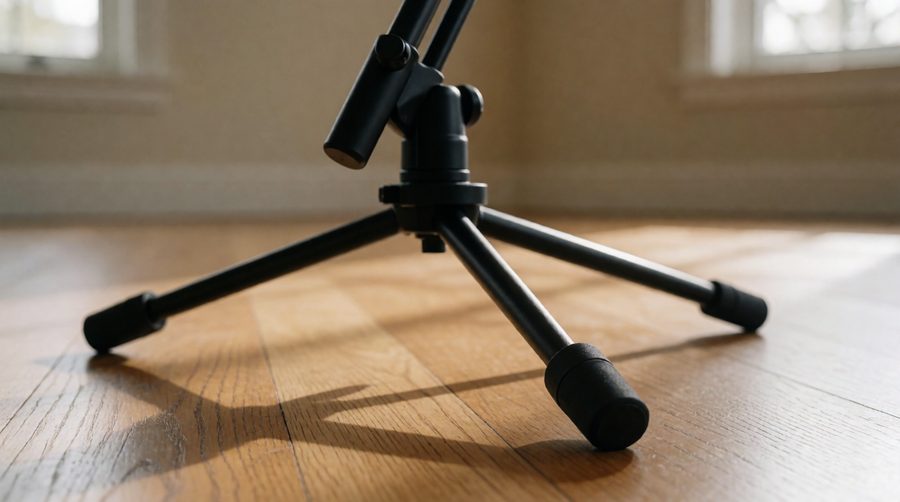
Wide legs and rubber feet do most of the work of keeping a tripod steady.
#3 Gator Frameworks Standard Tripod Mic Stand (GFW-MIC-2010)
Type: tripod with boom arm
Adapters: 3/8″ and 5/8″ included
Best for: a reliable second stand
About this mic stand
Gator’s GFW-MIC-2010 is a standard tripod mic stand with a boom arm and adjustable height. One handy detail is that it comes with both 3/8″ and 5/8″ thread adapters, so it works with whichever thread your mic clip or accessory uses. That saves the classic problem of buying a stand and finding your clip doesn’t fit.
Who it’s for
It’s a solid choice for a second stand at home, a duet setup for karaoke, or a stand you keep in the shed for parties. Buy two if you sing duets or want a mic on a guitar as well as a vocal.
Verdict: A sensible, no-nonsense tripod stand from a respected brand, and useful if you want a second one or need adapters for different threads.
- Includes both 3/8″ and 5/8″ adapters
- Standard tripod with boom, adjustable height
- From a well-known stand brand
- A mic clip is not always included, so check the listing
- Not as adjustable or heavy-duty as the K&M
#4 Amazon Basics Tripod Boom Microphone Stand
Height: up to 218cm (7.15ft) according to the listing
Material: lightweight steel
Adapters: works with 3/8″ to 5/8″ mic adapters
Best for: light, portable and tall
About this mic stand
The Amazon Basics tripod boom stand is a light, transportable steel stand with a tiltable boom and an adjustable height that, according to the listing, extends to more than 2 metres. It works as a straight stand or with the boom placed horizontally, and it’s compatible with the standard 3/8″ to 5/8″ mic adapter.
Who it’s for
It’s a good option for a spare, a stand to keep in the car, or a tall stand for standing performers. Its light weight makes it easy to carry and store, but it does mean you need to be more careful about stability, especially at maximum height or with the boom out. Keep the mic light, keep the boom short, and use it on a solid floor.
Verdict: A light, affordable tripod stand for casual use. For heavier mics or regular use, one of the sturdier stands above is the better long-term buy.
- Light and easy to carry
- Tiltable, adjustable boom
- Very tall maximum height
- Affordable
- Light weight means less stability, especially when extended
- Not built for heavy condenser mics
Tripod Microphone Stand – BUYER’S GUIDE
Tripod base or round base?
Mic stands come with two main kinds of base, and it’s worth understanding the difference.
- Tripod base (three legs) – Folds flat, is light to carry, and takes up little floor space. The legs splay out, which gives a wide footprint, but the stand is less stable if you put the boom out over a gap between two legs. Tripods are the most popular choice for karaoke, gigs and general use.
- Round base – A heavy circular weight at the bottom. Very stable, because the weight is spread all around, but it’s heavy to transport and not adjustable. Better for permanent studio setups.
For karaoke and home recording, a tripod with a good heavy base and a boom is the sensible middle ground: stable enough to do the job, and light enough to move and store.
Boom or straight?
A straight stand puts the mic directly on top, which is perfect for a singer who stands right behind it. A boom stand angles the mic out in front, so the stand isn’t between you and the audience (or the TV screen for karaoke). For seated recording, instruments and guitar amps, a boom is far more flexible. The best option for most people is a stand with a removable boom, or a boom that can be angled to vertical.
How tall does the stand need to be?
The mic should sit at about mouth height, or a touch lower and angled up if you like a warmer sound. As a rough guide, a standing adult needs a mic between about 1.4m and 1.7m, while a seated singer needs around 1.0m to 1.3m. That’s why the height range matters. The K&M (90 – 160cm) and the On-Stage (81 – 156cm) cover most people, standing and seated. Taller singers, or people who sing on a stage or a raised platform, should check the maximum height.
What about weight and stability?
This is the most common problem with mic stands. Two things matter: the weight of the mic, and how far the boom is extended. A dynamic karaoke mic typically weighs 250 to 400g, which any decent stand can handle. A large-diaphragm condenser microphone with a shock mount can weigh 500g or more, and that’s where light tripods start to droop or tip. If you’re recording with a heavy mic, choose a heavier stand, keep the boom short, and use a counterweight if the stand has one.
Which thread size do I need?
There are two mic thread sizes in common use. 5/8 inch is the standard in the UK and US, and most mic clips use it. 3/8 inch is common in Europe, and is also the size on many lights, cameras and accessories. Most stands include a small adapter that screws on or off to switch between the two, and some (like the Gator) come with both. Always check that the thread on your stand matches your mic clip, and keep the adapter safe, since it’s tiny and easy to lose.
Does the stand come with a mic clip?
Not always, especially on professional stands. Many budget stands include a basic clip, but check the listing. A mic clip that holds your particular mic securely is worth having. If you have a condenser mic, you’ll usually want a shock mount, which is a cradle on elastic bands that stops bumps and vibrations from travelling up the stand.
Metal or plastic clutch?
The clutch is the part you twist to lock the boom or height in place. Metal clutches and metal internals last far longer. Plastic clutches are fine for light use, but they can strip or crack if over-tightened, and they’re the first part to wear out. If the boom slowly droops, a worn clutch is usually why.
Extra bits worth having
- Pop filter for recording, so plosive sounds like “p” and “b” don’t blast the mic.
- Shock mount for a condenser mic.
- XLR cable of 3 to 5 metres, long enough to reach your amp, mixer or interface with slack.
- Cable clips or Velcro ties to keep the cable neat and off the floor.
- A carry bag, if you’ll be moving the stand around.
- A tablet or phone holder that clamps to the pole, so you can see the lyrics at karaoke.
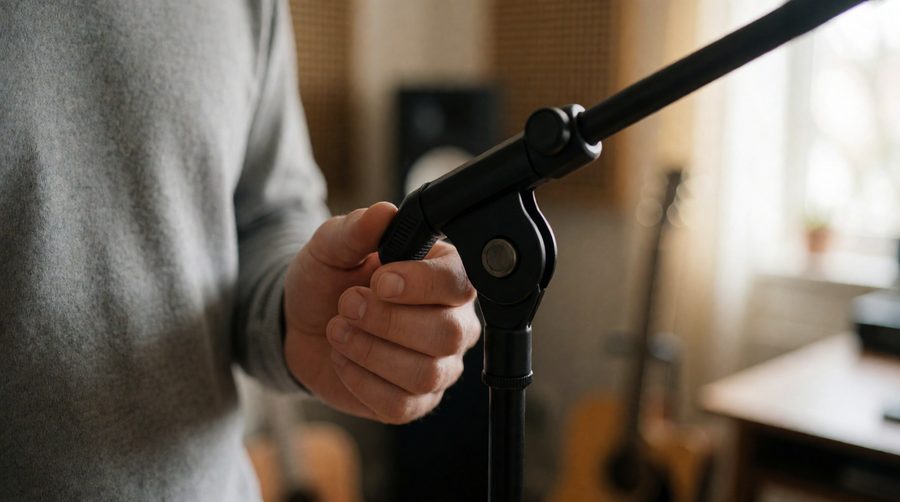
Tighten the clutch by hand until firm. It shouldn’t need a tool.
How to set up a tripod mic stand properly
A few minutes of setup makes a stand more stable, and your sound better. Follow these steps.
- Open the legs fully and put the stand on a flat surface. Uneven ground makes any stand wobble. On carpet, check that the feet aren’t sinking in.
- Set the height first, then the boom. Extend the main pole to the height you want, and lock the clutch by hand, until firm.
- Put one leg directly under the boom. This is the most important trick. Turn the stand so one tripod leg points the same way as the boom. That leg then supports the weight, rather than the boom trying to tip the stand over the gap between two legs.
- Keep the boom as short as you can. The further the mic is from the pole, the more leverage it has to tip the stand. Only extend the boom as far as you need.
- Attach the mic and check the balance. Attach the mic clip, and point the mic in the direction you want. If the boom tips down, tighten the clutch or add weight to the counterweight end, if there is one.
- Route the cable neatly. Attach the XLR cable to the pole with clips or Velcro, leaving a small loop of slack near the mic so the cable doesn’t pull on it.
- Test. Give the stand a gentle nudge to check it’s stable, and try the mic before the audience arrives.
Tripod mic stand tips for karaoke
- Put the mic at about mouth height, or a little lower and angled up. You want to sing across the mic, not into your chest.
- Keep the mic about a hand’s width from your mouth (roughly 10 to 15cm) for a clear vocal. Closer boosts bass but can make plosive sounds harsh.
- Keep the mic behind the speakers, never in front. A mic that faces the speaker is the main cause of squealing feedback. Point the speakers towards the audience, with the mic behind them, and the singer standing behind the speaker line.
- Use the boom to keep the stand out of the way. For karaoke it’s helpful to have the stand off to one side, with the mic swung in front of you, so the screen and lyrics stay visible.
- Have a stand for each singer at duets. Sharing a mic often ends in a tussle. Two stands, two mics, no arguments.
- Add a holder for the lyrics. A clamp-on tablet holder means you can read the words without craning your neck.
- Protect your floor and your toes. Fold legs neatly when the stand isn’t in use, and keep cables tucked away so nobody trips on the way to the mic.
If you’re building a karaoke setup, our guides to the best battery powered PA systems and best house party speakers cover the speaker side. Many of those have mic inputs, but they don’t all have the same connection: some take an XLR cable, others a 6.35mm jack, so check which your mic and cable use.
Tripod mic stand tips for a home studio
- Use a pop filter. Place it around 5 to 10cm from the mic, and the singer or speaker another 5 to 10cm behind it. It stops plosives and protects the mic from moisture.
- Use a shock mount with a condenser mic. It isolates the mic from vibrations that travel up the stand, like footsteps and knocks.
- Keep the mic away from noise. Computer fans, monitors and hard flat surfaces all make recordings sound worse. Put the mic where it can’t hear the PC, and away from a bare wall if possible.
- Sit or stand consistently. The distance between you and the mic changes the sound, so keep it the same throughout a recording.
- Angle the mic slightly off axis. Pointing it a little to one side of your mouth reduces plosives and harsh “s” sounds.
- Decouple the stand from the floor. Rubber feet help. On a hard floor, a folded towel or a small rubber mat under the legs reduces vibrations travelling up the stand.
- Balance the boom. Studio mics are heavier than karaoke mics. Choose a stand rated for the weight of your mic and shock mount, and keep the boom short. If a tripod isn’t stable enough, a heavier stand like the K&M is the better choice.
- Use a tripod stand for flexibility. Unlike a desk arm, a floor stand can be moved to record instruments, guitar amps or other people in the room, and folded away when you’re finished.
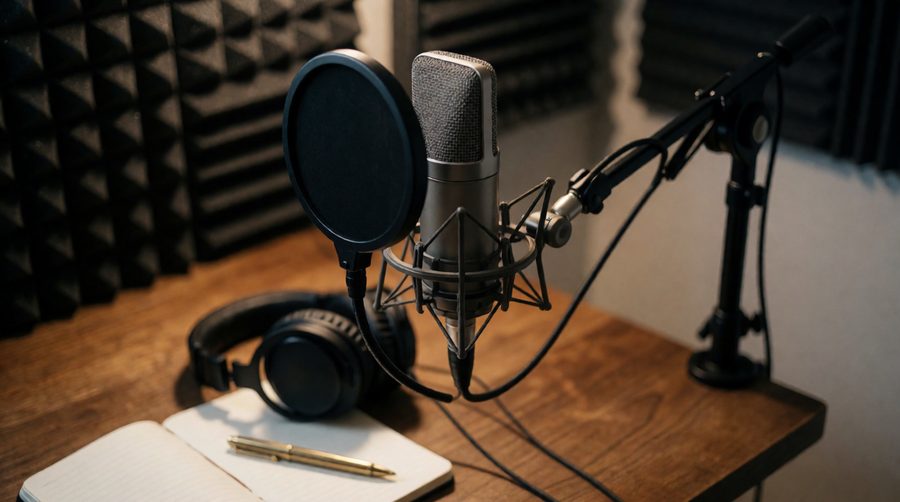
A boom arm keeps the mic and pop filter where you need them and off the desk.
Common mic stand problems and how to fix them
- The boom slowly droops. The clutch needs tightening, or the mic is too heavy for the stand. Tighten by hand until firm, shorten the boom, or add a counterweight. If it still drops, the clutch may be worn and need replacing.
- The stand tips over. Turn the stand so one leg points under the boom, widen the legs fully, shorten the boom, and check you’re not exceeding the weight limit.
- The stand slides on a hard floor. Use the rubber feet, and if the floor is very slippery, put the stand on a mat.
- The height won’t stay put. The height clutch may be loose or dirty. Loosen it fully, wipe the pole, and retighten.
- The mic clip doesn’t fit. Check the thread. You might need the 3/8″ or 5/8″ adapter.
- The stand squeaks or rattles when it moves. A tiny amount of lubricant on the joints can help, but keep it well away from the mic, and don’t get any on the clutch faces.
- The cable pulls the mic. Leave slack near the mic, clip the cable to the stand, and don’t let it hang.
Looking after your mic stand
- Wipe the poles with a dry cloth after use, and keep them out of damp places, which cause rust on cheaper steel stands.
- Don’t over-tighten the clutches. Firm by hand is enough, and over-tightening strips threads.
- Fold the legs and collapse the boom for storage, and keep the stand in its bag if you have one.
- Lower the mic and boom fully before you move the stand, so it isn’t top-heavy.
- Store the adapters and small parts in a labelled bag so they don’t go missing.
Tripod microphone stand FAQs
Is a tripod mic stand better than a round-base stand?
For most people, yes. A tripod folds flat, is easier to carry and works with a boom. A round base is heavier and more stable, and is better for a permanent studio setup where it doesn’t need to move.
How tall should a mic stand be?
The mic should sit at about mouth height. Look for a stand that goes from around 90cm (for seated use) to at least 160cm (for standing adults), like the K&M 210/9 and the On-Stage MS7701B.
Do I need a boom arm?
For karaoke, singing while playing an instrument, seated recording or working with a script, a boom is very useful. For a singer standing directly behind the stand, a straight stand is simpler and more stable.
What size thread do mic stands use?
5/8 inch is the standard in the UK and US, and 3/8 inch is common in Europe and on lights and cameras. Most stands include an adapter, so check that yours fits your clip.
How much weight can a tripod mic stand hold?
It varies a lot by model, so check the listing. Most decent tripods handle a normal dynamic karaoke mic easily. Heavy condenser mics with shock mounts and pop filters need a sturdier stand and a shorter boom.
Can I use a mic stand for a phone or camera?
Yes, with the right adapter. Phone and camera clamps normally use a 1/4 inch or 3/8 inch thread, and you can buy adapters to fit them on a 5/8 inch mic stand. Check the weight limit and keep the boom short.
Are cheap mic stands okay for karaoke?
Yes, for a lightweight dynamic mic and casual use. A budget stand like the On-Stage MS7701B does the job for parties. If you use the stand a lot, or with a heavier mic, spending more on a sturdier stand is worth it.
How do I stop my mic stand from tipping over?
Open the legs fully, put one leg directly under the boom, keep the boom short, and use a stand that’s heavy enough for your mic. Don’t hang bags or other items on the boom.
About the pictures on this page
The scene photographs on this page are AI-generated illustrations of typical setups, made to show how a stand works. They aren’t photos of the specific products reviewed. For real photos, prices and customer reviews of each stand, follow the Amazon links above.
Find out more
MusicRadar – Best mic stands
That’s all. Thanks for checking out our guide to the best tripod microphone stands. Which one did you pick? Let us know in the comments!


)